Built-in User Management
GreptimeDB Enterprise provides a built-in user and permission system backed by metadata storage. In cluster mode, the Metasrv manages this storage; in standalone mode, users are stored in the standalone metadata backend. The system supports Role-Based Access Control (RBAC) and fine-grained Access Control Lists (ACLs) to ensure data security and isolation.
For programmatic account management, see the User Management API.
Key Features
- Built-in User Management: User accounts and permissions are persisted in metadata storage and shared across frontend nodes in a cluster.
- Role-Based Access Control (RBAC): Assign global privileges to users,
controlling operations like
SELECT,INSERT,CREATE TABLE, and more. - Fine-grained ACLs: Select databases and tables using exact names or regular expressions.
- Dynamic Management: Manage users dynamically via HTTP APIs without restarting the server.
- Initial Seeding: Support for seeding initial accounts from a password file at startup.
Configuration and Explanation
This section walks through how to enable the enterprise user provider and perform basic user management.
1. Enable User Provider
To use the enterprise user and permission system, enable the
greptime_ee_user_provider in the component that receives client requests.
Configure it on the standalone server in standalone mode, or on each frontend
node in cluster mode.
The user provider value is:
greptime_ee_user_provider:<path-to-password-file>
The password file is optional and is used only for initial account seeding. To
enable the provider without seeding users, use greptime_ee_user_provider:.
The trailing colon : is required by the configuration parser.
Standalone command line:
./greptime standalone start \
  --user-provider=greptime_ee_user_provider:/path/to/passwords.txt
Standalone configuration file:
user_provider = "greptime_ee_user_provider:/path/to/passwords.txt"
./greptime standalone start \
  -c /path/to/standalone.toml
Frontend command line:
./greptime frontend start \
  --metasrv-addrs=127.0.0.1:3002 \
  --user-provider=greptime_ee_user_provider:/path/to/passwords.txt
Frontend configuration file:
user_provider = "greptime_ee_user_provider:/path/to/passwords.txt"

[meta_client]
metasrv_addrs = ["127.0.0.1:3002"]
Then start frontend with the configuration file:
./greptime frontend start \
  -c /path/to/frontend.toml
2. Initial Account Seeding (Optional)
The password file uses the following format:
[<catalog>/]<username>[:<role>]=<password>
The catalog prefix is optional. Entries without it belong to the default
catalog, greptime.
Available roles:
admin: Full privileges, including user management.readonly(orro): Read-only access (SqlSelect).writeonly(orwo): Write-only access (e.g.,SqlInsert,TableCreate).readwrite(orrw): Both read and write access (default).
Example passwords.txt:
# [catalog/]username[:role]=password
superuser:admin=strong_password
alice:ro=alice_pwd
bob:rw=bob_pwd
tenant_a/carol:ro=carol_pwd
The username admin is reserved and skipped during seeding. Use another name,
such as superuser, for a seeded administrator.
Seeded users are granted full access (AclType::All) to the public database
in their catalog, subject to their global privileges.
Seed accounts are created only once. Existing users are skipped, and deleting a seeded user does not cause it to be recreated on later startups. You can modify seeded users later through the UI or HTTP API.
Catalog Scope
Usernames are unique within a catalog. The HTTP user-management APIs at
/v1/users list and manage users in the request's current catalog, which defaults
to greptime. To select another catalog, use the db query parameter or
x-greptime-db-name header with a value such as tenant_a-public. The catalog
field in a create-user request body does not select the target catalog.
HTTP, gRPC, and PostgreSQL authentication look up users in the selected catalog. MySQL password authentication and the admin-password CLI still look up users in the default catalog.
Privileges and ACLs
Global Privileges
Privileges include the following operations:
| Privilege | Description |
|---|---|
TableCreate | Create new tables |
TableAlter | Alter existing tables |
TableDrop | Drop tables |
SqlSelect | Execute SELECT queries |
SqlInsert | Execute INSERT operations |
SqlDelete | Execute DELETE operations |
FlowCreate | Create flows |
FlowDrop | Drop flows |
DatabaseCreate | Create databases |
DatabaseAlter | Alter databases |
DatabaseDrop | Drop databases |
Admin | Full administrative privileges |
TriggerCreate | Create triggers |
TriggerDrop | Drop triggers |
TriggerAlter | Alter triggers |
Predefined Role Privileges
When using the password file for seeding, the predefined roles map to the following privilege combinations:
| Role | Privileges |
|---|---|
admin | All privileges |
readonly / ro | SqlSelect |
writeonly / wo | SqlInsert, SqlDelete, TableCreate, TableAlter, TableDrop, FlowCreate, FlowDrop, TriggerCreate, TriggerDrop, TriggerAlter, DatabaseCreate, DatabaseAlter, DatabaseDrop |
readwrite / rw | readonly + writeonly privileges |
Access Control Lists (ACLs)
ACLs control access to databases and their tables. In the HTTP API, acl_map
maps database selectors to lists of table ACL entries.
Table ACLs
The all ACL grants access to every table in the database. Use it when a user
should be able to read or write all current and future tables in that database,
subject to the user's global privileges.
The match ACL grants access to one table by exact name. Use it when a user
should only access a specific table and should not automatically gain access to
other tables with similar names.
The regex ACL grants access to tables whose names match a regular expression.
Use it when tables follow a naming convention and should be managed as a group.
Table regexes match substrings unless explicitly anchored. For example,
mem_.* also matches old_mem_usage, and .*_metrics also matches
cpu_metrics_backup. Use ^mem_.*$ for names that start with mem_,
^.*_metrics$ for names that end with _metrics, and ^sensor_[0-9]+$ for
complete names such as sensor_1 and sensor_2024.
Database Selectors
A normal acl_map key, such as public, selects one database by exact name.
A key with the reserved ~regex: prefix selects databases by regular expression:
{
  "acl_map": {
    "~regex:tenant_[0-9]+": [{"type": "all"}]
  }
}
Database regexes always match the entire name. This example grants access to all
tables in tenant_42, but not archive_tenant_42 or tenant_42_backup. It applies
to current and future matching databases, regardless of who created them.
If exact and regex selectors match the same database, their table ACL entries
are combined. An all entry in any matching selector grants access to every
table in that database. Invalid database or table regexes, and empty database
regexes, are rejected when users are created or updated.
Database Operations and System Tables
A non-admin user with DatabaseCreate can create a database in their catalog
without an existing ACL for that database. Creation atomically grants the creator
effective all access to the new database and refreshes the submitting session's
permissions. Database selectors do not restrict which names the user can create.
CREATE DATABASE IF NOT EXISTS does not grant access to an existing database.
DROP DATABASE and COPY DATABASE require effective all access to the target
database, in addition to the relevant global privilege. For ordinary databases,
SHOW DATABASES, SHOW TABLES, SHOW TABLE STATUS, and SHOW VIEWS filter their
results according to the user's ACLs.
Some system tables have separate rules. Reading catalog-scoped
information_schema tables and information_schema.build_info requires
SqlSelect but bypasses table ACLs. Other information_schema tables require
Admin.
Validation Rules
Username
Usernames must:
- Start with a letter (
a-zorA-Z) - Contain only letters, digits, and underscores
- Match the pattern
[a-zA-Z][a-zA-Z0-9_]*
Password
Password validation depends on how the user is created or updated:
- Seeded account passwords must not be empty.
- Local passwords created or updated through the UI or HTTP API must be 6 to 64 characters long.
- LDAP users have no local password; their passwords are managed in LDAP.
External Authentication
The built-in user provider supports optional authentication plugins on the standalone server or frontend nodes that receive client requests:
- LDAP (
ldap_auth): Configure the plugin'sconfig_filewith the path to an LDAP connection configuration. Register each LDAP user through the HTTP API withauth_source: "ldap"and omitpassword. LDAP verifies the password, while the stored user record supplies privileges and ACLs. Valid LDAP credentials alone do not create a GreptimeDB user. Local users can coexist with LDAP users. - JWT (
jwt_auth): Configure a trusted verification key or JWKS endpoint. The token's username claim (default:sub) must identify an existing user in the selected catalog; the stored privileges and ACLs still apply. For HTTP, sendAuthorization: Bearer <token>. For MySQL and PostgreSQL, use*as the username and the JWT as the password.
User Management in the Enterprise Dashboard
After you enable greptime_ee_user_provider, both GreptimeDB and the
Enterprise Dashboard require users to log in with an account.
The following screenshot shows the Enterprise Dashboard login page:
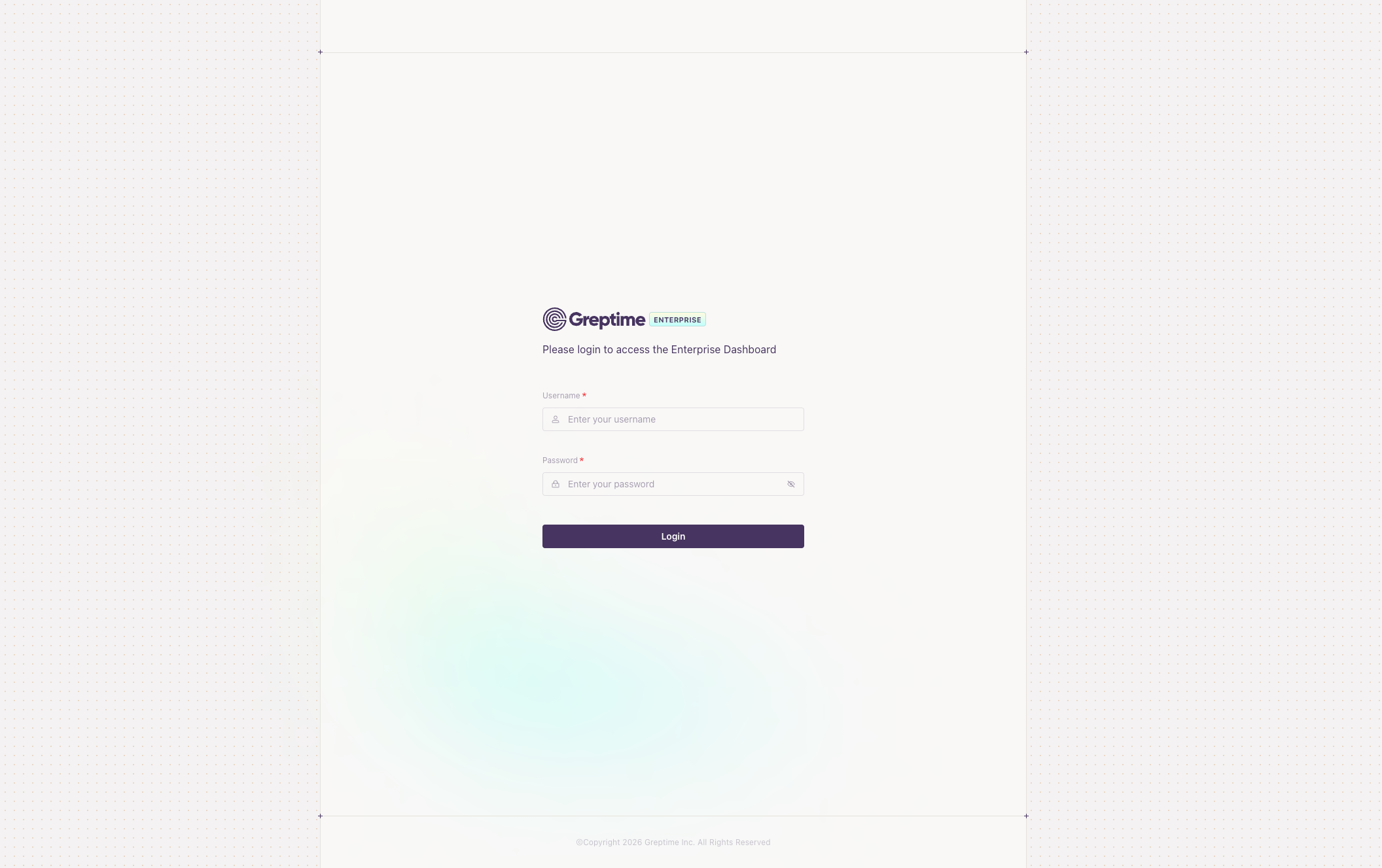
You can log in with an account defined in the seeding file, or with the fallback
admin account if one was created.
Only accounts with the Admin privilege can see the database management menu.
Non-admin accounts can only access the query page, similar to the open-source
dashboard.
After logging in as an admin user, click User Management in the lower-left
corner to open the user management page:
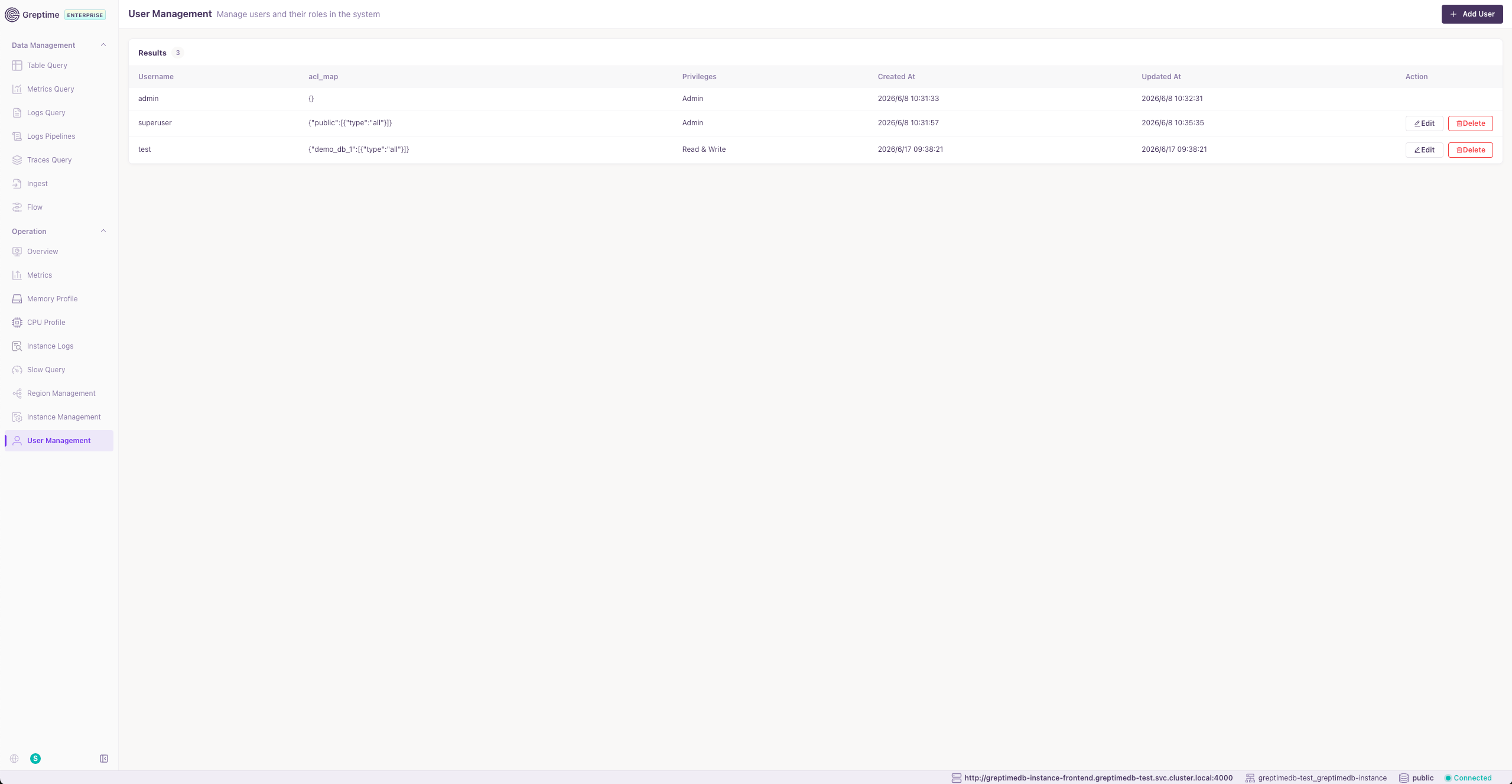
This page lists users in the current catalog. From here, you can:
- Create users
- Update existing users
- Delete users
The following screenshot shows the form for creating a user:
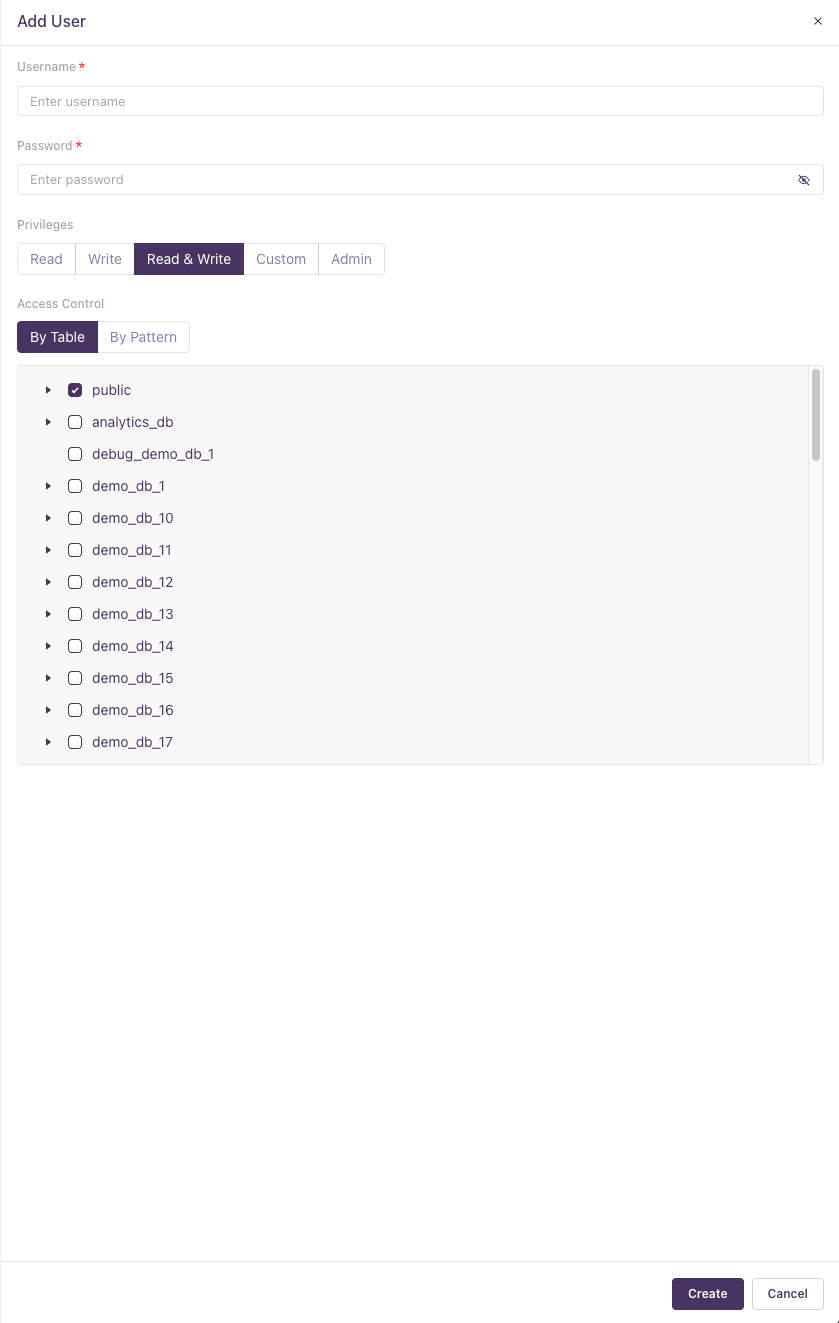
In this form, you can configure:
- The username
- The password
- Whether the account has the
Adminprivilege. Non-admin users are granted thereadwriteprivilege. - The account ACL list
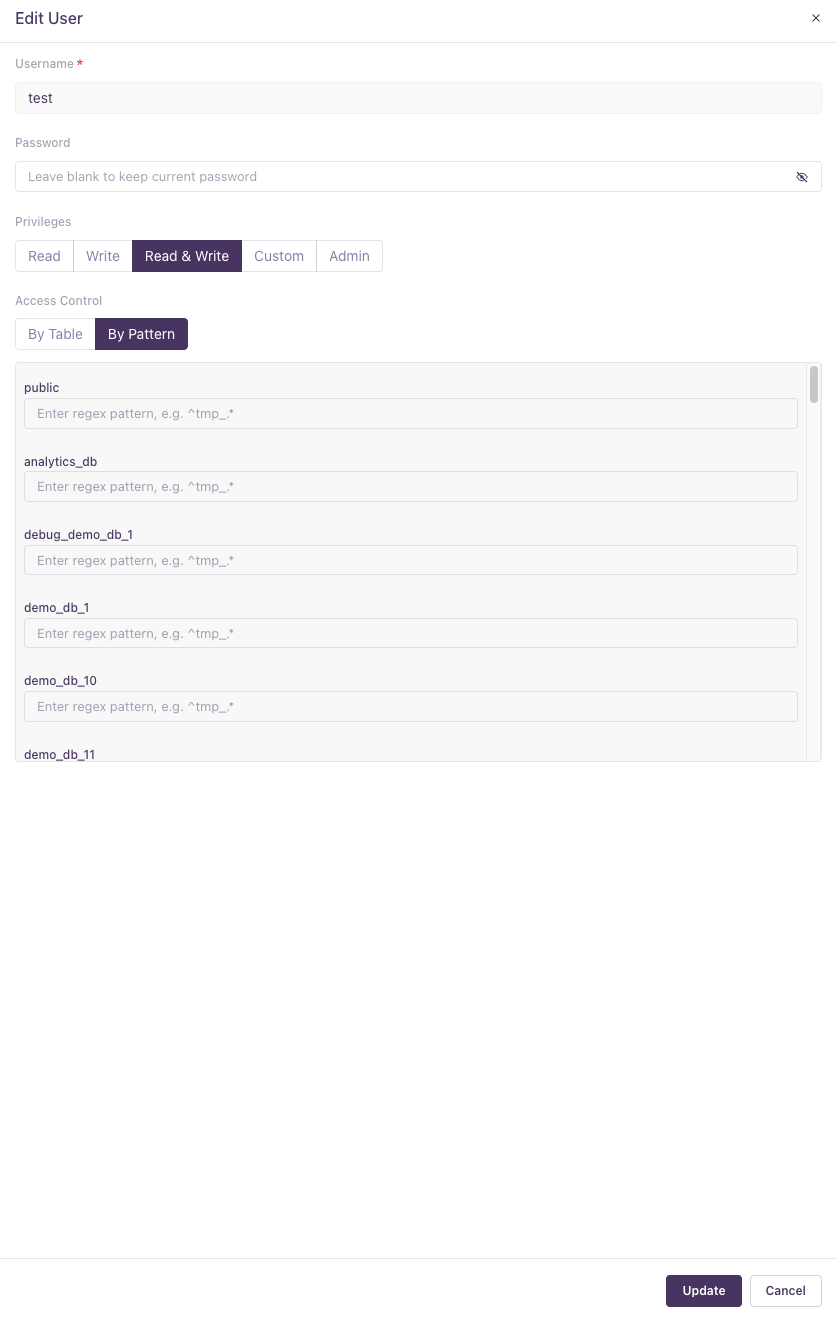
The ACL form has two tabs. You can select an exact table, select an entire database to grant full-database access, or use a regular expression to grant access to a range of tables. The following screenshot shows the regular expression form:
Reference
- Admin Account: After account seeding, GreptimeDB Enterprise creates a
fallback
adminaccount in the default catalog,greptime, only if that catalog has no user with theAdminprivilege and the usernameadminis unused. Existing accounts are never overwritten. For example, thesuperuser:adminentry above suppresses fallback account creation.- If the environment variable
GREPTIME_ENTERPRISE_ADMIN_PASSWORDis set, it uses that value as the fallback account's password. Set it on the Metasrv in cluster mode or on the standalone process in standalone mode. - If the environment variable is not set, it generates a random UUID as the password.
- If the environment variable
- Checking Auto-generated Password: If a random password was generated,
you can find it in the GreptimeDB log files. Search for a message like:
Created admin user with auto-generated password <UUID> - Resetting the Admin Password: You can reset the existing local
adminaccount's password in the default catalog using the CLI. The command reads backend storage settings from a Metasrv config file and supports the standardGREPTIMEDB_METASRV__...environment variable overrides.The command connects directly to etcd, MySQL, or PostgreSQL and can run on any host with access to the backend. Use the deployment's Metasrv configuration, including its storage endpoints, metadata table, schema where applicable, and key prefix. The command does not support standalone's default Raft Engine backend. For standalone deployments using MySQL or PostgreSQL metadata storage, prepare a separate Metasrv-format configuration pointing to the same storage; do not pass the standalone configuration file directly. The command does not create a missing./greptime-ee cli user admin-password \
--new-password <new-password> \
--config-file /path/to/metasrv.tomladminaccount or reset LDAP passwords. - Persistence: In cluster mode, user information is persisted in the Metasrv's KV store and shared across frontend nodes. In standalone mode, it is persisted in the standalone metadata backend, which defaults to Raft Engine.
- Admin Protection: The built-in
adminuser cannot be deleted via the API.